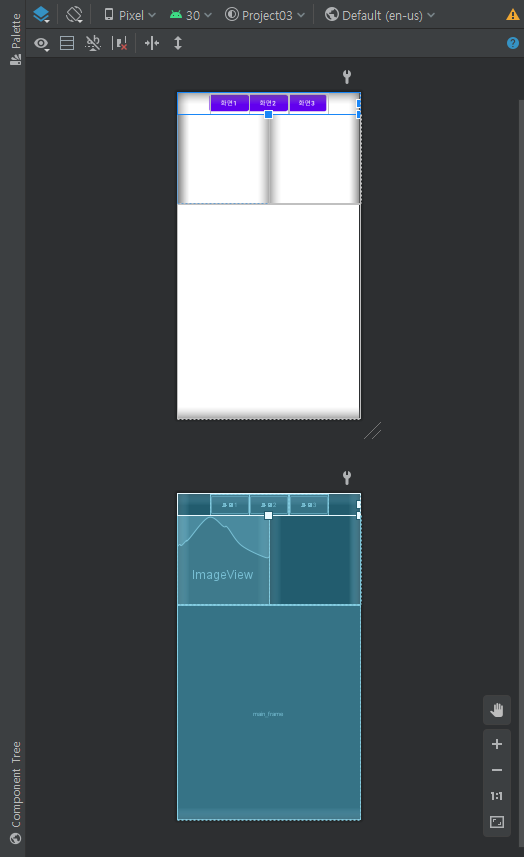
목적 : 각레이아웃을 구분하는 표시선을 그으려고하는데 방법은?
노가다 방법으로 가장 많이?? 쓰이는거같은데
각 레이아웃에 View를 추가하여 weigth , height를 각각 martch나 1dp로 설정하여
background에 검정색을 추가해준다. (예제코드는 흰색으로 해놨음)
<?xml version="1.0" encoding="utf-8"?>
<LinearLayout xmlns:android="http://schemas.android.com/apk/res/android"
    xmlns:app="http://schemas.android.com/apk/res-auto"
    xmlns:tools="http://schemas.android.com/tools"
    android:layout_width="match_parent"
    android:layout_height="match_parent"
    android:orientation="vertical"
    tools:context="com.example.project03.MainActivity"
    >

    <LinearLayout

        android:layout_width="match_parent"
        android:layout_height="50dp"
        android:gravity="center"
        android:orientation="horizontal"
        >


        <Button
            android:id="@+id/bt1"
            android:layout_width="wrap_content"
            android:layout_height="wrap_content"
            android:text="화면1" />

        <Button
            android:id="@+id/bt2"
            android:layout_width="wrap_content"
            android:layout_height="wrap_content"
            android:text="화면2" />

        <Button
            android:id="@+id/bt3"
            android:layout_width="wrap_content"
            android:layout_height="wrap_content"
            android:text="화면3" />

    </LinearLayout>

    <LinearLayout
        android:layout_width="match_parent"
        android:layout_height="200dp"
        android:weightSum="2"
        >


            <LinearLayout
                android:layout_width="match_parent"
                android:layout_height="match_parent"
                android:layout_weight="1"
                >
                <View
                    android:layout_width="match_parent"
                    android:layout_height="1dp"
                    android:layout_centerInParent="true"
                    android:background="#ffffff"
                    tools:layout_editor_absoluteX="-16dp"
                    tools:layout_editor_absoluteY="192dp" />
                <ImageView
                    android:id="@+id/image_view1"
                    android:layout_width="match_parent"
                    android:layout_height="match_parent"
                    android:adjustViewBounds="true">
                </ImageView>


            </LinearLayout>

            <LinearLayout
                android:layout_width="match_parent"
                android:layout_height="match_parent"
                android:layout_weight="1"
                >

                <View
                    android:layout_width="1dp"
                    android:layout_height="match_parent"
                    android:layout_centerInParent="true"
                    android:background="#ffffff"
                    tools:layout_editor_absoluteX="-16dp"
                    tools:layout_editor_absoluteY="192dp" />
                <View
                    android:layout_width="match_parent"
                    android:layout_height="1dp"
                    android:layout_centerInParent="true"
                    android:background="#ffffff"
                    tools:layout_editor_absoluteX="-16dp"
                    tools:layout_editor_absoluteY="192dp" />


            </LinearLayout>


    </LinearLayout>


    <FrameLayout
        android:id="@+id/main_frame"
        android:layout_width="match_parent"
        android:layout_height="match_parent"
        >

        <View
            android:layout_width="match_parent"
            android:layout_height="1dp"
            android:layout_centerInParent="true"
            android:background="#ffffff"
            tools:layout_editor_absoluteX="-16dp"
            tools:layout_editor_absoluteY="192dp" />
    </FrameLayout>


</LinearLayout>
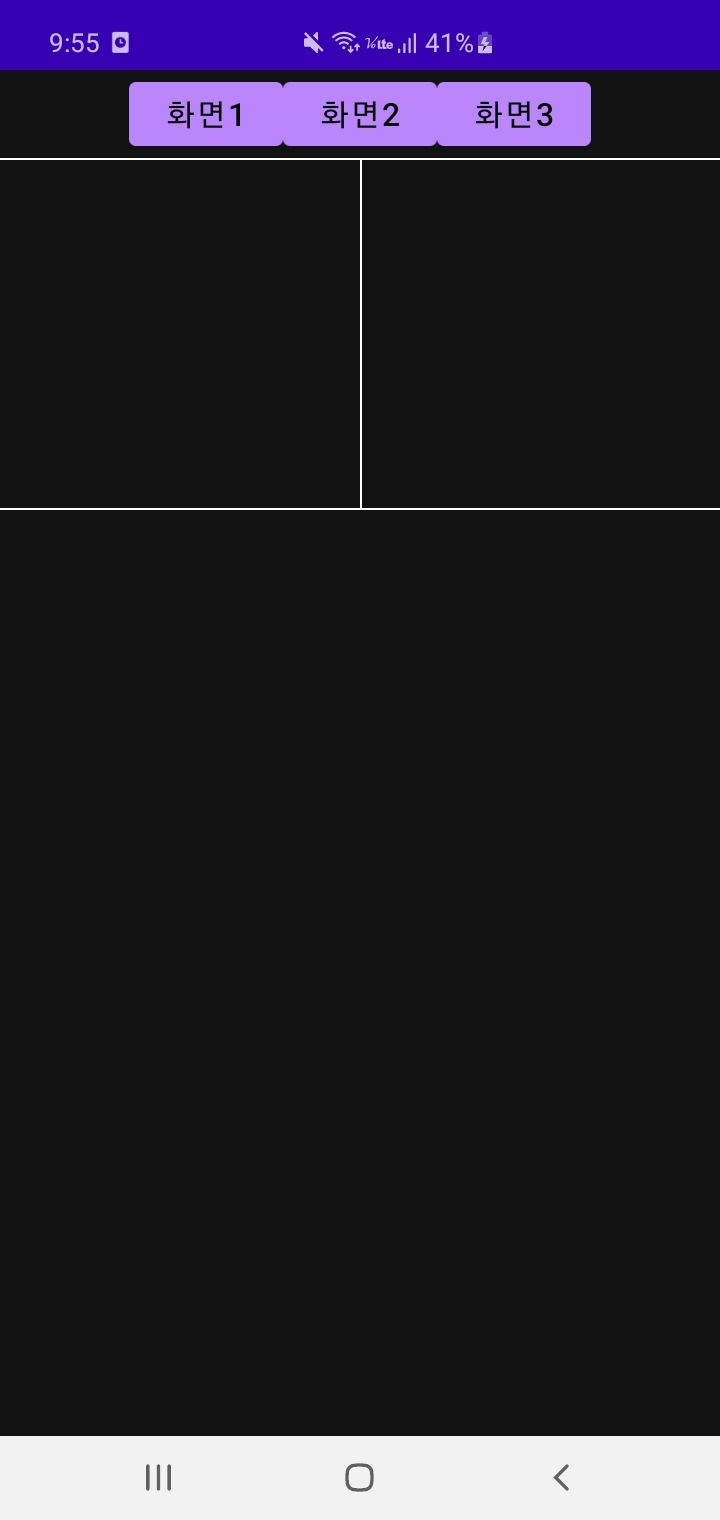
실행결과:
'안드로이드' 카테고리의 다른 글
| 안드로이드 스튜디오 AsyncTask 사용하기. / 안드로이드 스튜디오 백그라운드 실행 (0) | 2020.11.16 |
|---|---|
| 파이썬 코스피지수 실시간으로 크롤링하기 (beautifulsoup) (0) | 2020.11.16 |
| 파이썬 panda를 이용하여 상장사 주식데이터 가져오기 / pandas 데이터프레임을 엑셀로 저장하기 (0) | 2020.11.16 |
| 모바일 앱개발을 위한 안드로이드 스튜디오 설치방법 ) 2020-11-14 (0) | 2020.11.14 |
| 안드로이드스튜디오 3초컷 상태바 제거 (0) | 2020.08.24 |